The AI quiz from our handbook PDF saved me a full prep day. Huge for our small team.
One calm workspace for the whole lesson
Choose the right starting point for today’s class. Quizava keeps the draft editable, the source visible, and your teaching judgment in the loop.
From first question to final reflection.
Product
Quizzing
Build secure quizzes, share one link, and see what your students understood.
Open quizzing
New
Product
Presentations
Turn a topic, quiz, or source file into a lesson deck you can teach live.
Open presentations
Tools for teachers
7 focused tools
Small tools for the moments that make a lesson work.
PDF to quizTurn lesson files into a quiz draft.
Teaching packBuild a lesson pack from a PDF.
Exit ticketCheck understanding on the way out.
Test generatorPlan balanced assessments.
Question generatorDraft precise, editable questions.
Worksheet generatorShape practice for your class.
Study guideMake revision easier to navigate.
Proof it works
Live product stats, real screenshots, and a quick tour — see what you get before you sign up.
0
Quizzes created
0
Responses submitted
0
AI-generated quizzes
0
Organizations
K-12 schools
Universities
Corporate training
Bootcamps & agencies
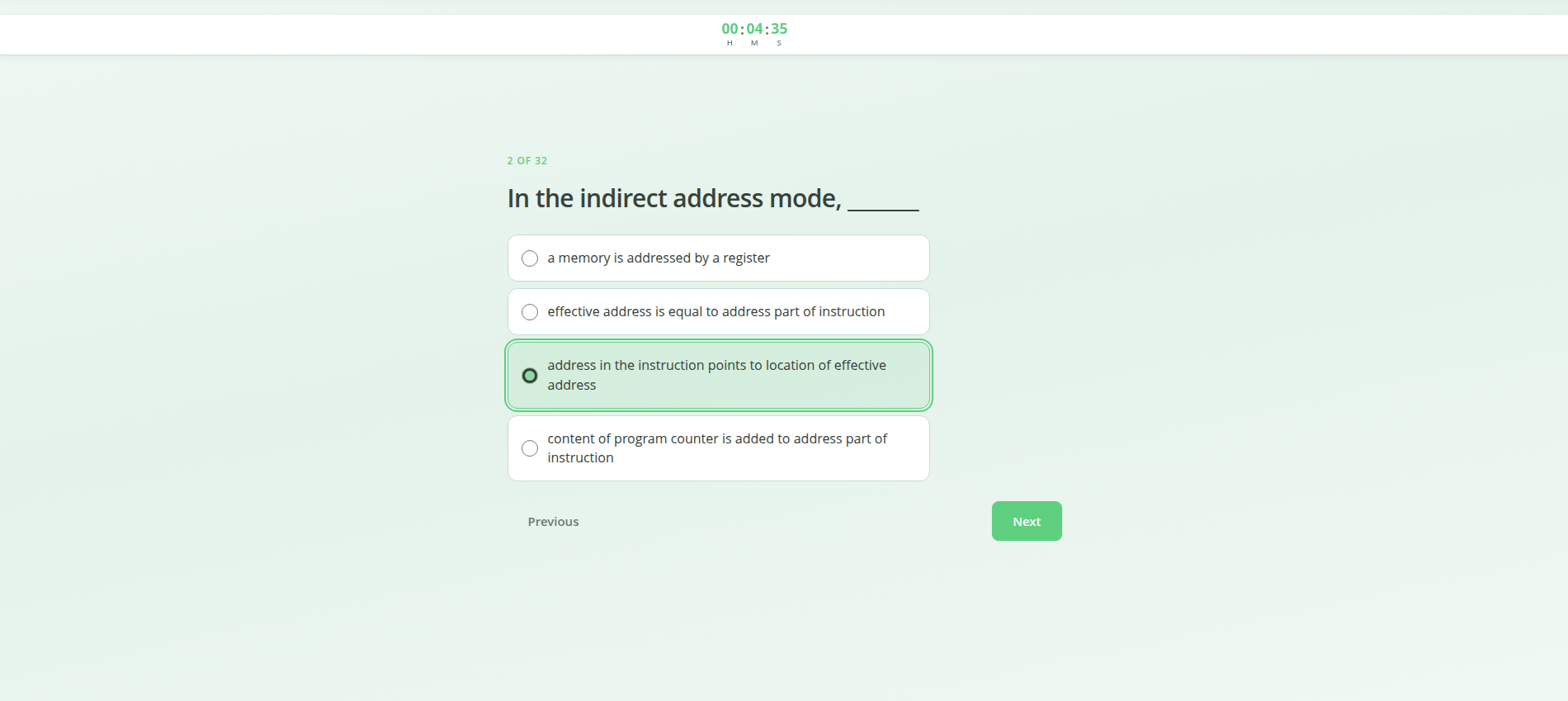
Participants see one question at a time with timers, progress, and a layout that works on phones and desktops.
Auto-rotation pauses while you hover
Analytics exports straight into our gradebook workflow. Exactly what we needed.
Anti-cheat is strong without feeling punitive. Faculty signed off immediately.
It's simple — here's how it works
Three steps from your content to actionable results.
1
Build
Import Excel, generate from a PDF or PowerPoint with AI, or use the visual editor — you stay in control of every question.
2
Share
One link or QR code. Students take the quiz in a secure, anti-cheat browser session — no app install.
3
Understand
See who struggled, which questions were too hard, and export grades to Excel.
Most teachers publish their first quiz in under 5 minutes.
Why choose Quizava?
Outcomes first — then every feature you need to create, deliver, and analyze assessments.
During the attempt
Protect integrity
Fullscreen and tab detection stay on for every attempt.
- Camera before the first question You turn this on or off for each quiz. When it is on, students allow the camera in the browser, then the quiz opens fullscreen.
Save prep time
Stop rebuilding the same test in Word every term. Spreadsheet import and AI from a PDF or PowerPoint get you to a reviewable draft fast.
Act on results
Mean scores, difficulty rankings, and option distributions — export raw answers to Excel when you need more.
No IT setup
Share a link or QR code. Learners use any modern browser on desktop or mobile — no app install.
Awesome features
Everything you'd expect from a modern quiz platform — plus AI authoring and enterprise-grade anti-cheat in one place.
AI quiz generationPDF, Word, or PowerPoint
Anti-cheat suiteOut-of-quiz detection, head-pose movement, anti-copy-paste, and anti-screenshot
Proctoring optionsRequire a camera before the quiz starts
Spreadsheet import.xlsx / .csv + images
Visual card editorBuild questions manually
Powerful analyticsScores, difficulty, exports
Timed assessmentsCountdown & auto-submit
RandomizationQuestions & answer order
QR code invitesIn-person access
Public & private linksShare with one URL
Mobile readyNo app required
OrganizationsTeams & shared quizzes
Your school’s name and logoOn every quiz (Pro)
LeaderboardsLive ranking views
Images in questionsUploads & imports
Secured with SSLEncrypted in transit
Schedule windowsOpen & close times
Multilingual UI8 languages supported
Who uses Quizava?
Teachers
Create class quizzes from a spreadsheet, PDF, or PowerPoint, share a link or QR, and auto-grade with analytics that show where students struggled.
Schools & teams
Organizations, invites, and your school’s name and logo for pilots and district rollouts. Book a demo
Businesses & trainers
Deliver secure assessments, track completion, and export results for compliance and L&D workflows.
Frequently asked questions
What educators ask before they start.
Short on time
One file. The quiz and the slides, before class.
Class is soon and the resource file is still a PDF. Upload it once. Quizava drafts the lesson slides and the quiz from that same material. You review both, then teach.
- The file you already have A PDF, a Word document, or a PowerPoint.
- Two drafts, one source Lesson slides and quiz questions, written from that file.
- Ready for the room Present in the browser or download PowerPoint. Share the quiz as a link.
Either way PowerPoint to quiz Quiz to PowerPoint
Saving time before class
I'm short on time before class. Can Quizava prepare the lesson and the quiz?
Yes. Upload the resource file you already have — a PDF, a Word file, or a PowerPoint. Quizava drafts the lesson slides and the quiz from that same file. You review and edit both before anyone sees them, then present the slides and share the quiz link.
Can one PDF become both the slides and the quiz?
Yes. Make the slides from the PDF, then create a quiz from that presentation. Or start with the quiz and make the slides from it.
Can I turn a PowerPoint into a quiz?
Yes. Upload the deck. Quizava drafts questions from the slides. You edit them, then share one link or QR code. You can still present that deck in the browser or download it as PowerPoint.
Can I turn a quiz into a PowerPoint?
Yes. Open a quiz you already have and create slides from it. The questions become the spine of the lesson deck. Present in the browser or download a PowerPoint file.
Getting started
What will my students experience?
A focused quiz in the browser — mobile-friendly, optional timer, and anti-cheat rules you configure, including an optional camera check. No app install required.
Do I need to film anything or install software?
No. You do not install software or record the class. Students open your link in a browser. If you require a camera, they allow it before the quiz starts.
How fast can I start?
Most teachers publish their first quiz in under 5 minutes — upload a spreadsheet, generate from a PDF or PowerPoint, or build manually.
Is the free plan really free?
Yes. Lite includes core anti-cheat, up to 10 new quizzes a month, and AI limits described in pricing — no credit card required.
How does AI quiz generation work?
Upload a PDF, a text file, or PowerPoint. We index the content, retrieve relevant passages, and draft questions you review and edit before publishing.
Can I export grades?
Yes — open analytics and download responses as Excel. Charts stay in the dashboard for quick review.
What about schools or teams?
Pro adds organizations, your school’s name and logo, and room to create more. For a campus, open Enterprise and write to us — we help onboard your first cohort.
Simple, transparent pricing
Start free. Upgrade when a class outgrows Lite. Write to us when a campus needs one plan.
Lite is free because most teachers start solo. Pro funds more quizzes, more AI writing, your school’s name and logo, and priority support.
Billing
Yearly saves 2 months
Lite
$0 /month
Free forever for individual educators.
- Up to 10 new quizzes / month
- Up to 100 AI quizzes or 5 AI presentations / month These share the same AI budget. In one day you can start 1 quiz and 1 presentation.
- Up to 400 pages uploaded / month
- Unlimited student responses
- Full anti-cheat suite
Recommended
Pro
$15 /month
Billed annually at $150/year (2 months free vs monthly).
For educators that need more.
- Up to 500 new quizzes / month
- Up to 1,000 AI quizzes or 50 AI presentations / month These share the same AI budget. In one day you can start up to 15 quizzes and 15 presentations.
- Up to 3,000 pages uploaded / month
- Unlimited student responses
- Full anti-cheat suite
- Your school’s name and logo
- Up to 10 teachers on your team
- Email support (Pro requests prioritized)
For campuses
Enterprise
Shaped with you
A rollout for a department, a school, or a district. Limits, branding, and onboarding are agreed in a conversation.
- Onboarding for your first group of teachers
- School name and logo on every quiz
- Limits sized to the term you actually run
- A reply within one school day
Campus LMS and proctoring stacks often cost thousands per year and weeks of setup. Quizava Pro is $15/month for one teacher with AI, anti-cheat, and analytics included.
From the Blog
Tips, guides, and insights on online assessment.

AI Quiz Maker for Accreditation: Collect Program Evaluation
School administrators: use an AI quiz maker to collect verifiable accreditation evidence. Automate program evaluation data with anti-cheat assessment tools.

AI Quiz Maker for Professional Development
Transform staff PD sessions with an AI quiz maker for professional development. Run interactive faculty meeting quizzes & teacher training assessments in seconds.

Student-Generated Quizzes: Peer Assessment with AI
Let students create quizzes with AI. Student-generated quizzes boost peer assessment and metacognition. A complete 4-step workflow for your classroom.

Online Quiz vs In-Class Performance: How AI Anti-Cheat Fixes It
Why don’t online quiz scores match in-class performance? Discover 4 hidden drivers of the assessment gap and how AI anti-cheat tools restore quiz score …
A note, not a ticket
Tell us how your school runs quizzes.
A campus plan, a term pilot, or a question about one class. We reply within 24 hours.
- 01 You send a note
- 02 We reply within a school day
- 03 If it fits, we book a short walkthrough
Write to us
Your note lands with a person on the Quizava team.